ZIONAROfor home cooks

Cook from home. Sell online. Get paid by UPI.

Your own food shop link with your story, your dishes and your prices. Customers order, you accept and cook, and the money goes straight to your bank. No staff, no tables, no commission.

14 days free. No card needed. Sign up with Google in one tap.

No commission on ordersCustomers pay you directly, by UPI or cash.

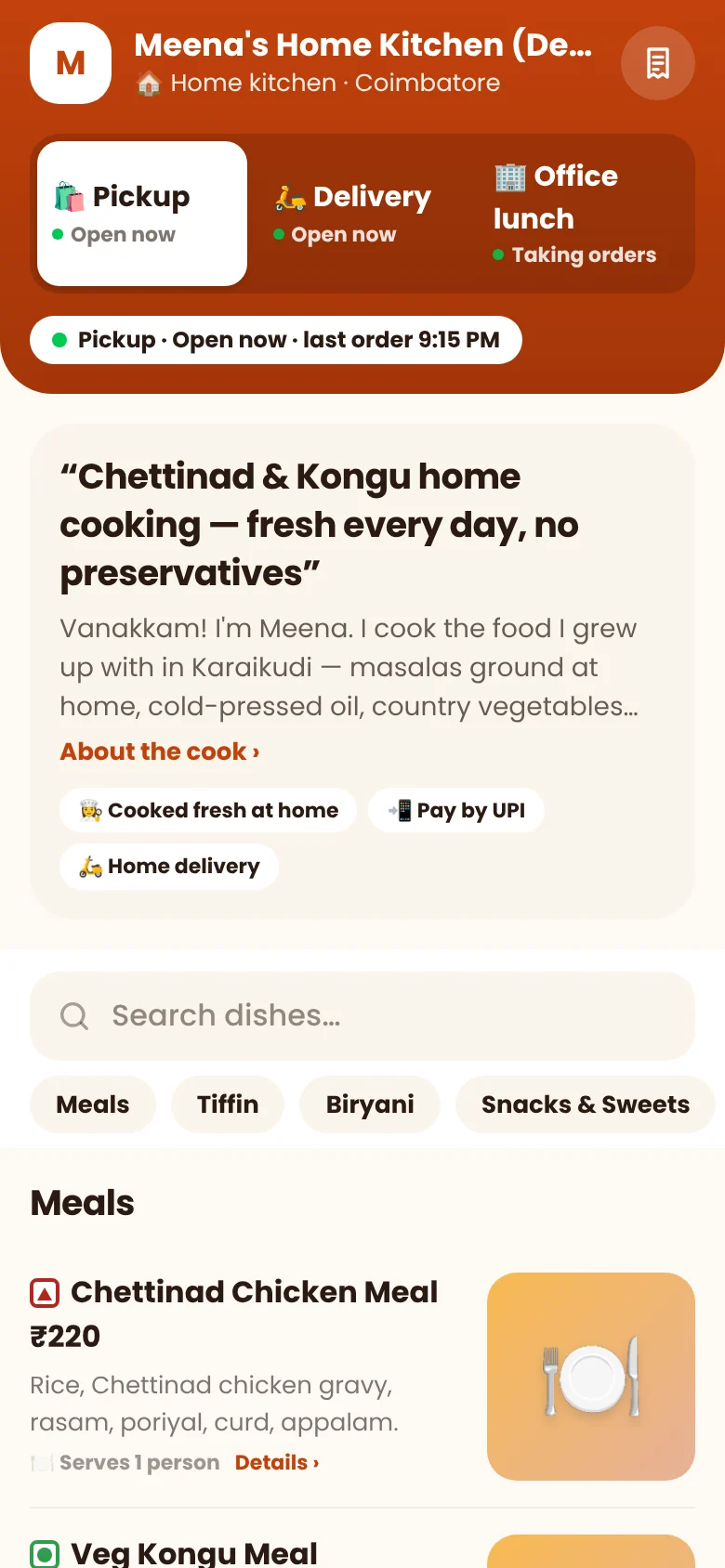
Your shop, your lookHomely themes, your photos, your story.

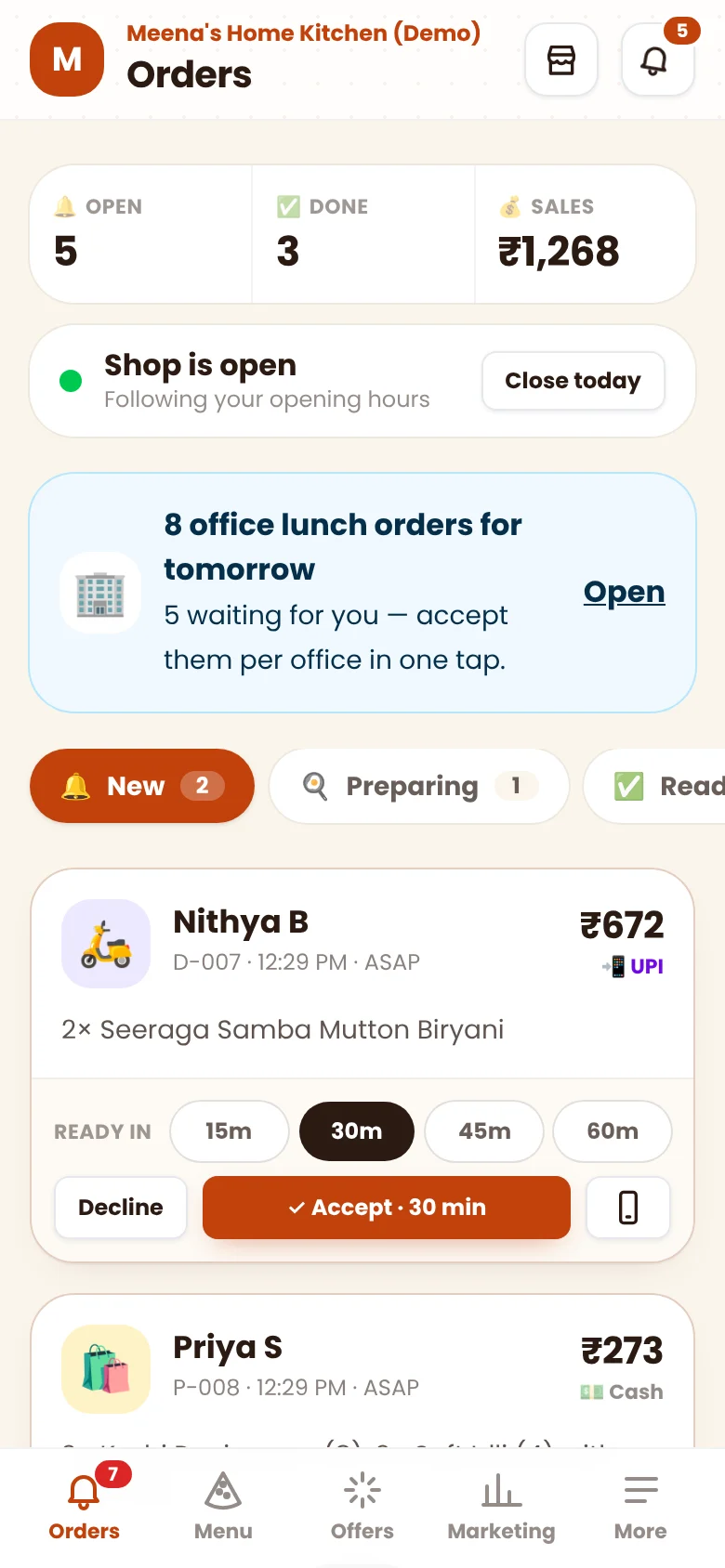
Orders ring on your phoneAccept, cook, pack and deliver from one screen.

See how a home food shop works

From your kitchen to their door

1

Create your shop

Sign up as a home food business. Add your dishes with photos, your story and your UPI ID.

2

Share your link

Put it in your WhatsApp status, Instagram bio and apartment groups, or print the QR on your food packets.

3

Accept and cook

New orders ring on your phone. Accept with a cooking time and the customer sees “Preparing your food”.

4

Hand it over

Mark it ready, on the way and delivered. The customer pays you by UPI or cash.

The cook's orders screen with new, cooking and ready orders

Everything a home kitchen needs, and nothing it doesn't

Taking orders

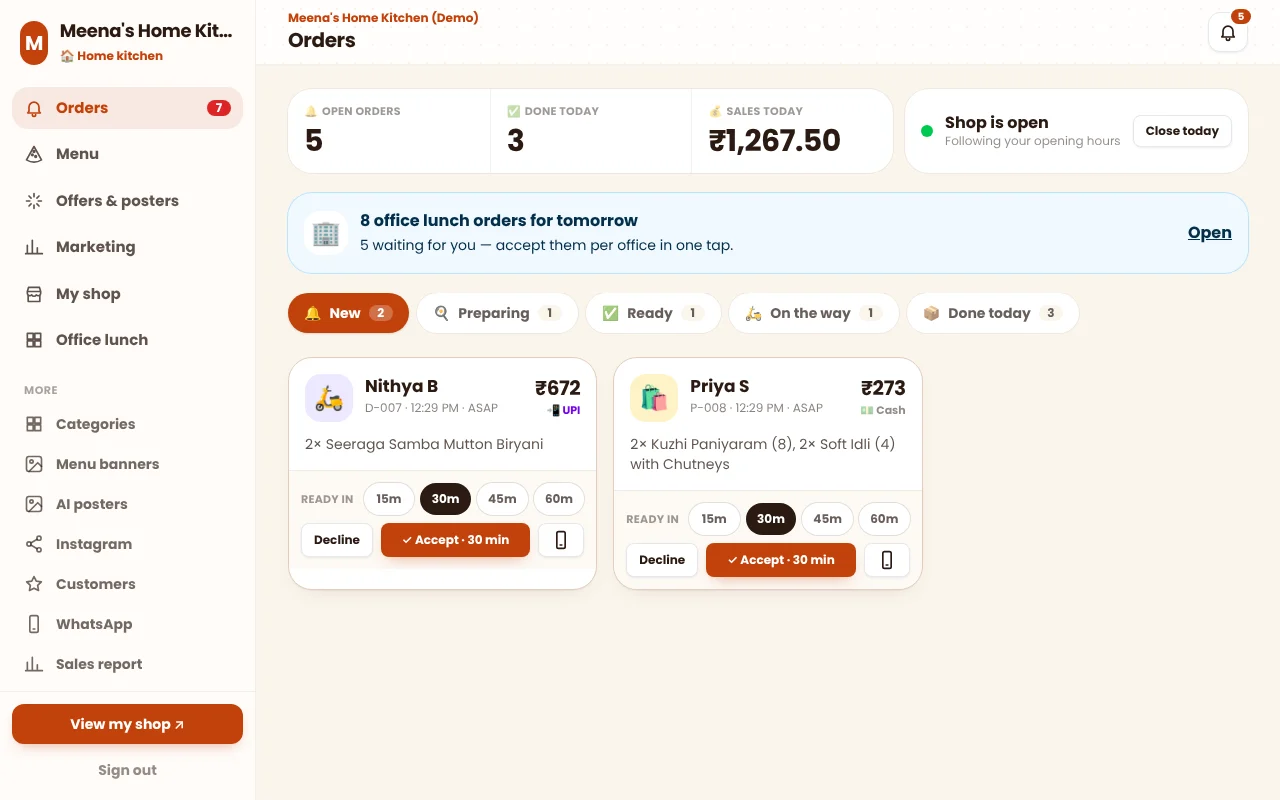
  • Order alerts with soundEvery new order rings on your phone and computer.
  • Everything in one tapItems, notes, call or WhatsApp, and the address on Google Maps.
  • Pickup, delivery and office lunchChoose what you offer and when you are open.

Getting paid

  • UPI straight to your bankGPay, PhonePe or Paytm with the exact amount filled in.
  • Cash on deliveryMark it paid when you hand over the food.
  • Sales and expensesSee what you sold and spent each day.

Getting noticed

  • Your story and dish detailsAbout this dish, ingredients and how many it serves.
  • AI postersFestival and offer posters in a tap, ready for WhatsApp and Instagram.
  • Post to InstagramPost now or schedule for lunchtime, from your phone.
A home kitchen's orders screen on a computer

Feed whole offices.

Office employees want home food at lunch. They order before your cut-off, you cook one list, and every box for an office goes in one trip. Switch it on only if you want it.

  1. 1
    Add the offices you serve

    Building name, address and where to hand over, like “Reception, 4th floor”.

  2. 2
    Set a cut-off and lunch slots

    For example, order by 10:30 for 12:30 or 1:15, with how many meals you can cook.

  3. 3
    Cook once, deliver once

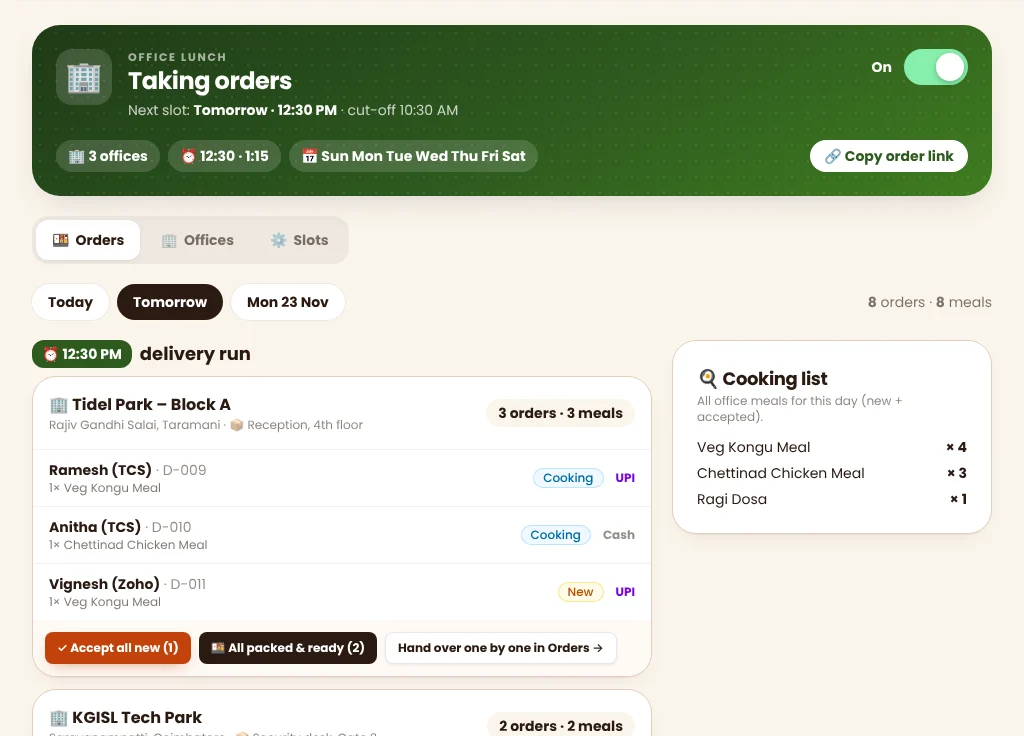
    Orders grouped by slot and office, with one cooking list and one tap to accept a whole office.

In the Home Plus and Home Pro plans.

The cook's office lunch screen: orders grouped by delivery slot and office

Made for home cooks of every kind

Tiffin and meal services Home bakers and cakes Festival sweets and snacks Weekend biryani Diet and healthy meals Pickles and podis Tea-time snacks Office lunch Home chefs and caterers

Simple plans for home kitchens

Separate from restaurant plans, with no commission on your orders. Try any plan free for 14 days.

Home Starter

₹699a month

Your own online food shop: menu with photos, online orders for pickup & delivery, UPI payments and offer popups.

  • QR digital menu
  • Offers & promotional popups
  • AI posters & AI banner images
  • Online ordering — pickup & delivery (not included)
  • Billing & payments (not included)
  • WhatsApp messages & marketing (not included)
  • SEO & social media marketing kit (not included)
  • Reward points for customers (not included)
  • AI menu assistant for guests (not included)
  • Advanced reports (not included)
  • Office lunch (corporate orders by slot) (not included)
  • API integrations (not included)
  • Post & schedule to Instagram (not included)
Start with Home Starter

Home Plus Most chosen

₹999a month

Everything in Starter plus AI posters & banners, WhatsApp messages, SEO & social media marketing kit and reward points.

  • QR digital menu
  • Online ordering — pickup & delivery
  • Billing & payments
  • Offers & promotional popups
  • AI posters & AI banner images
  • SEO & social media marketing kit
  • Reward points for customers
  • AI menu assistant for guests
  • Office lunch (corporate orders by slot)
  • Post & schedule to Instagram
  • WhatsApp messages & marketing (not included)
  • Advanced reports (not included)
  • API integrations (not included)
Start with Home Plus

Home Pro

₹1,699a month

Everything in Plus with the AI food assistant for customers and advanced sales reports.

  • QR digital menu
  • Online ordering — pickup & delivery
  • Billing & payments
  • Offers & promotional popups
  • WhatsApp messages & marketing
  • AI posters & AI banner images
  • SEO & social media marketing kit
  • Reward points for customers
  • AI menu assistant for guests
  • Advanced reports
  • Office lunch (corporate orders by slot)
  • Post & schedule to Instagram
  • API integrations (not included)
Start with Home Pro

Questions home cooks ask

Something else on your mind? Try the demo kitchen. It works like the real thing.

Do I need a restaurant licence or a shop?

No shop is needed — DineQR is for people who cook at home. Food safety registration (like FSSAI basic registration in India) is your responsibility; we only give you the online shop and the tools.

Do I need staff, waiters or tables?

No. A home food business has only you (the owner) and your customers. There are no waiter, kitchen or table screens to set up.

How do customers order?

You share your shop link (WhatsApp, Instagram, Facebook, apartment groups) or print your QR code. Customers see your story and dishes, choose pickup or delivery and place the order. You accept it before cooking.

How do I get paid?

Add your UPI ID. After you accept an order, the customer gets a "Pay now with any UPI app" button and QR with the exact amount — the money goes straight to your bank. Cash on delivery works too. There is no commission on your orders.

How will I know about new orders?

New orders ring with a sound on your phone and computer, and show on your Orders screen. Tap an order to see the items, notes, phone number and address with Google Maps.

Can I change the look of my shop?

Yes. Pick one of the homely themes (Amma's Kitchen, Tiffin Green, Turmeric, Masala Chai, Coconut Leaf, Berry Bakes) and change the colours, cover photo, logo and your story any time.

What do AI posters and the marketing kit do?

Make festival and offer posters with AI, show an offer popup to customers, and get ready-made and AI-written posts with hashtags for Instagram, Facebook and WhatsApp, plus a Google page for your kitchen. These depend on your plan.

Can I take lunch orders from offices?

Yes — with Office lunch (Home Plus and Home Pro). Add the offices you deliver to, set an order cut-off (like 10:30 AM) and delivery slots with how many meals you can cook. Employees pick their office and slot; you see orders grouped by office with one cooking list, accept a whole office in one tap and deliver in one trip.

Can I sign up with Google?

Yes — "Sign up with Google" fills in your name and email. No password needed.
Your kitchen, your customers, your money.